Course Hub
Designer and co-developer for course management and registration application.
Riley Skipper
Project Creator
Project Overview
Course Hub was built as cross-functional course management and registration system for lifelong learning programs. The platform streamlines the course administration and management, course discovery and registration process across multiple departments and professional development programs.
Design Evolution
Phase 1: Initial Branding and Tools
The initial design was a product of both Adobe XD and Figma. The first iterations featured a card-based layout optimized for mobile devices, making course information easily digestible on smaller screens.
Initial mobile-first card design showing course information in an easily digestible format for smaller screens.
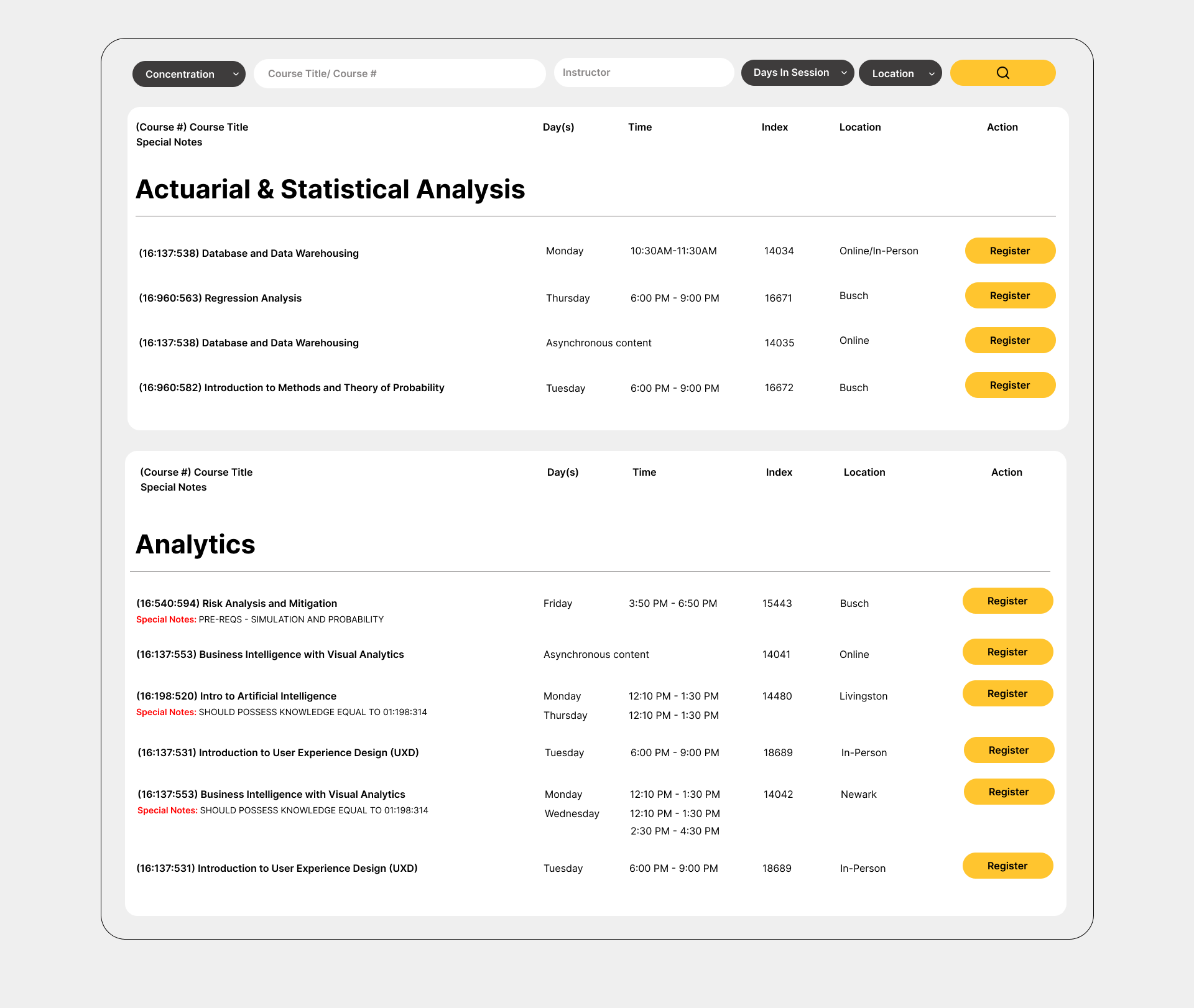
The initial design phase included:
- Consistent Branding through color and styling.
- First card layout iteration for course details.
- Expandable sections for admins to edit course details.
- Sortable columns for easy course comparison
- Duel Navigation Menus based on unauthenticated and Admin view.
- Inline actions for quick registration or viewing details
- Multi-field search with filters for program, instructor, and location
Phase 2: Prototype Evolution
The prototyping phase was created on a local host using HTML, Tailwind CSS, and Javascript. The purpose was for the development team and stakeholders to interact with each functionality of the application, and to evaluate improvements for the design during the development process.
User View prototype with enhanced course detail layout, updated menu and navigation, and improved filtering style based on real data testing.
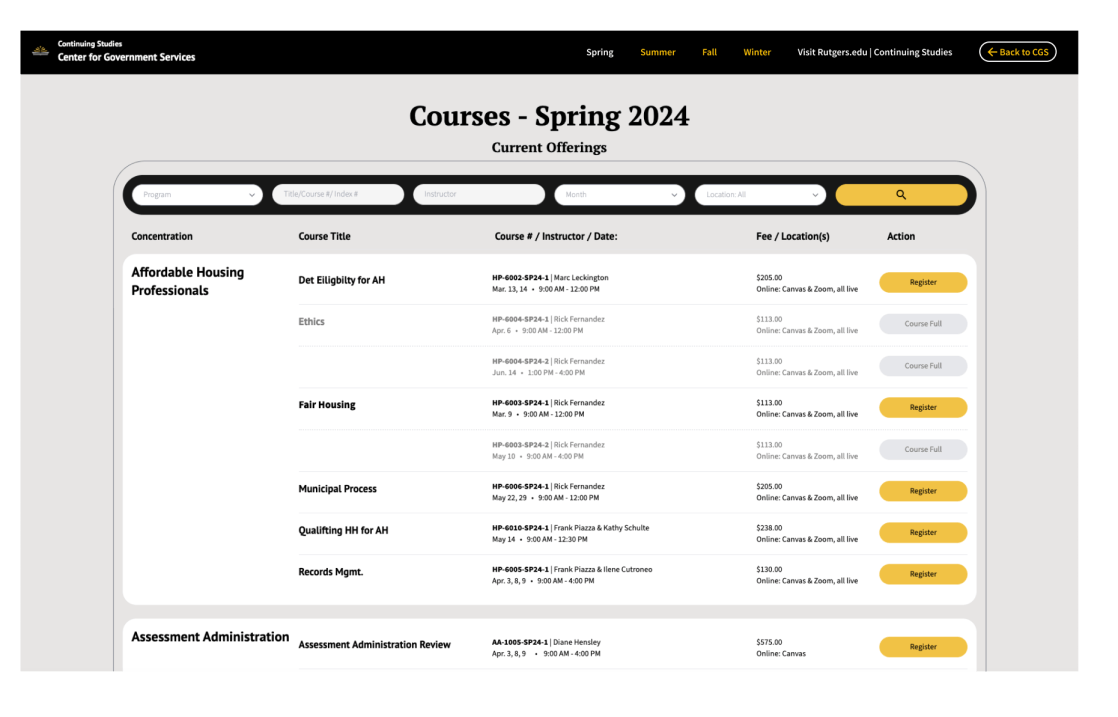
User View
During the prototyping, the course detail layout had been improved for easier to follow reading while in large scale. This was also due to new data, that provided more insight in how the layout fit in real time. Other imporovements were an updated menu and navigation, and filtering style.
Admin View prototype featuring dedicated navigation menu, Actions column for course editing, and multi-select modal for batch editing.
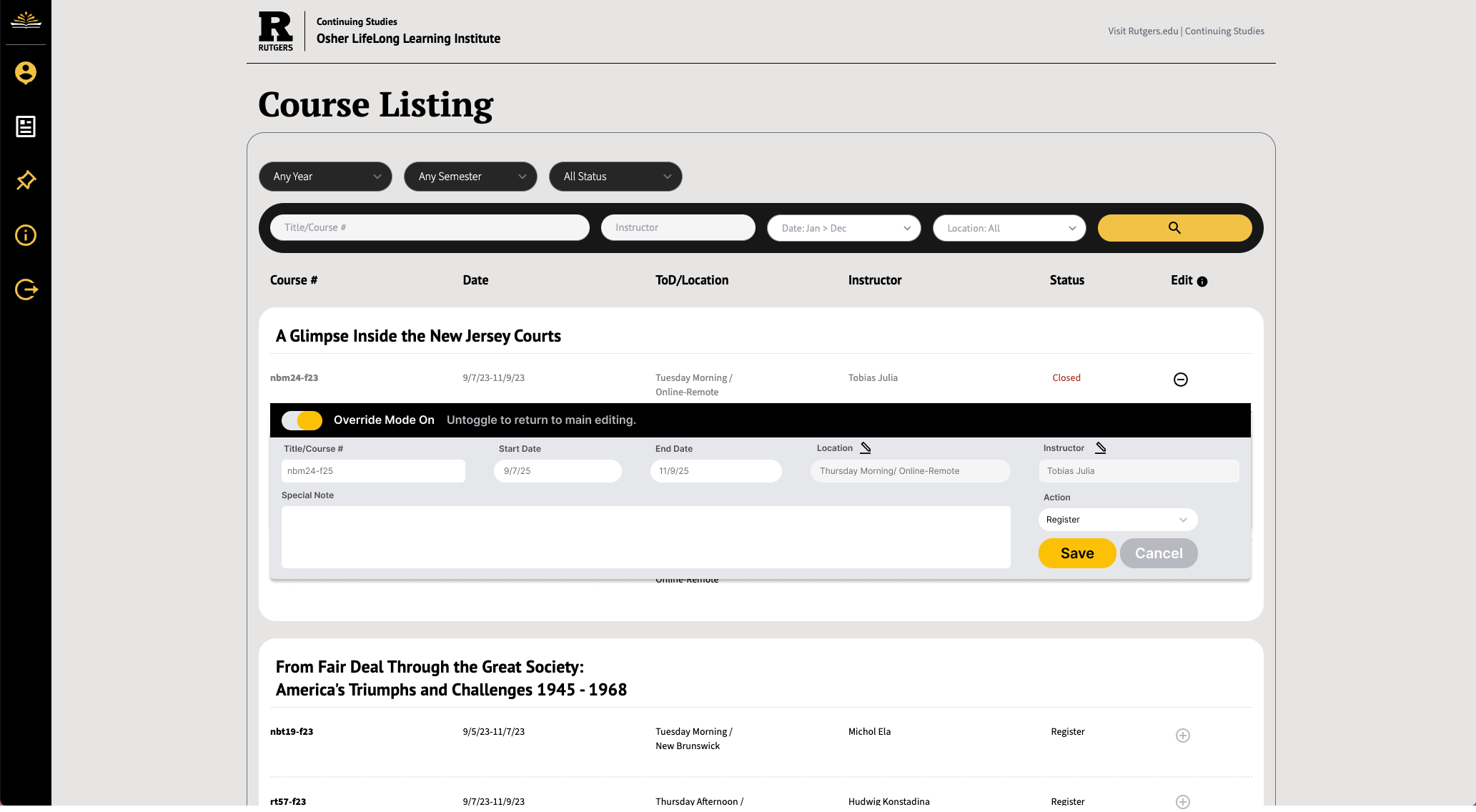
Admin View
We knew the admin view needed to have a different visual appeal to seperate from user needs. The admin view has a different navigation menu for amdin controls, and has an extra column for Actions to edit or multi-select courses for editing course details. The modal appears when multiple courses are selected for editing.

Admin Navigation Menu
The Admin Navigation menu features the course listing page gto voew and edit course details, add banners, view and add admin users, manage courses by term, and logout.
Many Rounds of Polling: Admin Course Edit
We tested many componenets of the app during the prototyping phase using Figma. The Admin course editing went through multiple iterations of designs and polling.
Concise Admin Edit Modal - Streamlined interface focusing on essential course editing fields.
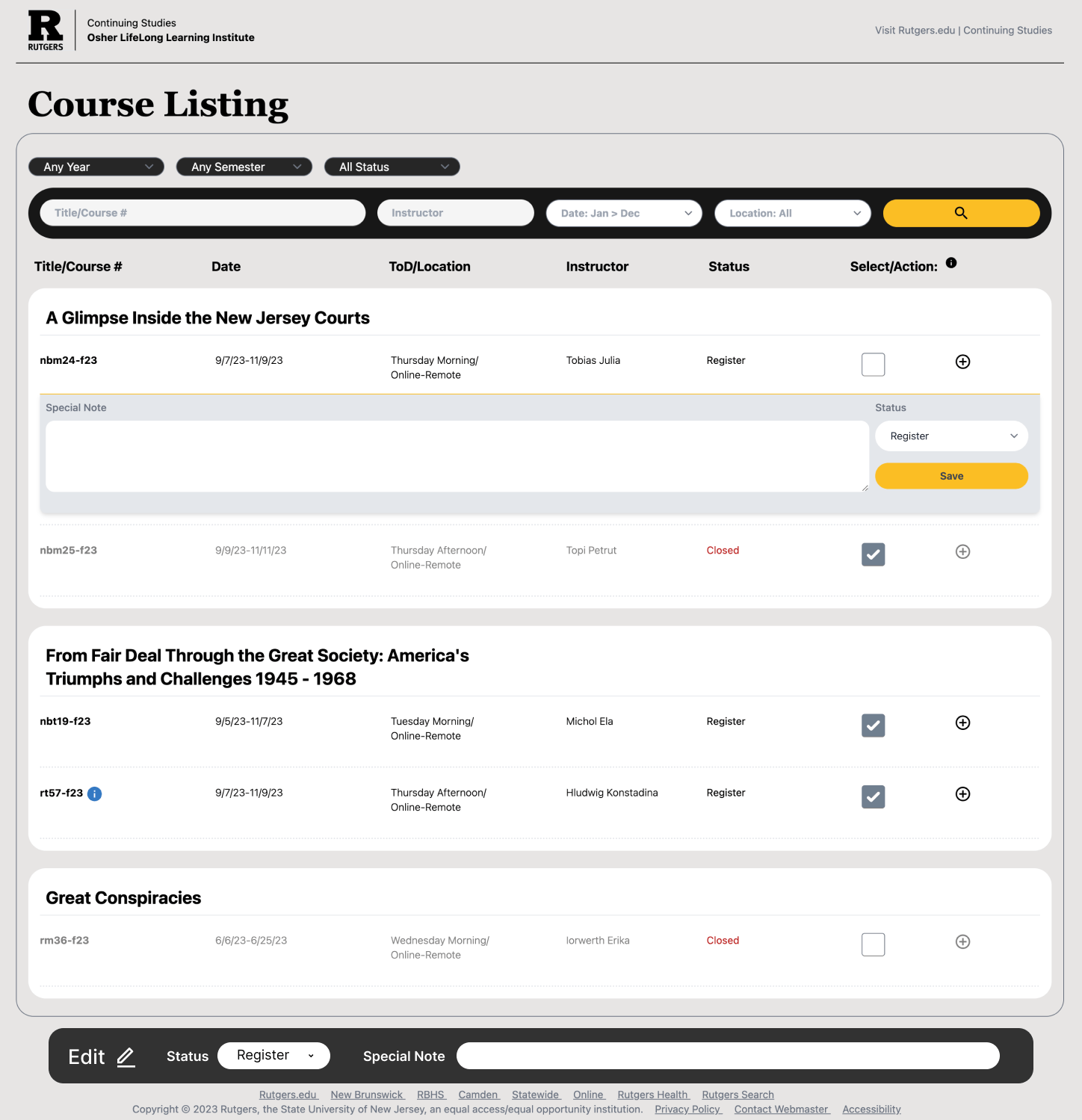
Concise Admin Edit Modal
Verbose Admin Edit Modal - Comprehensive interface with all available course details and fields for detailed editing.
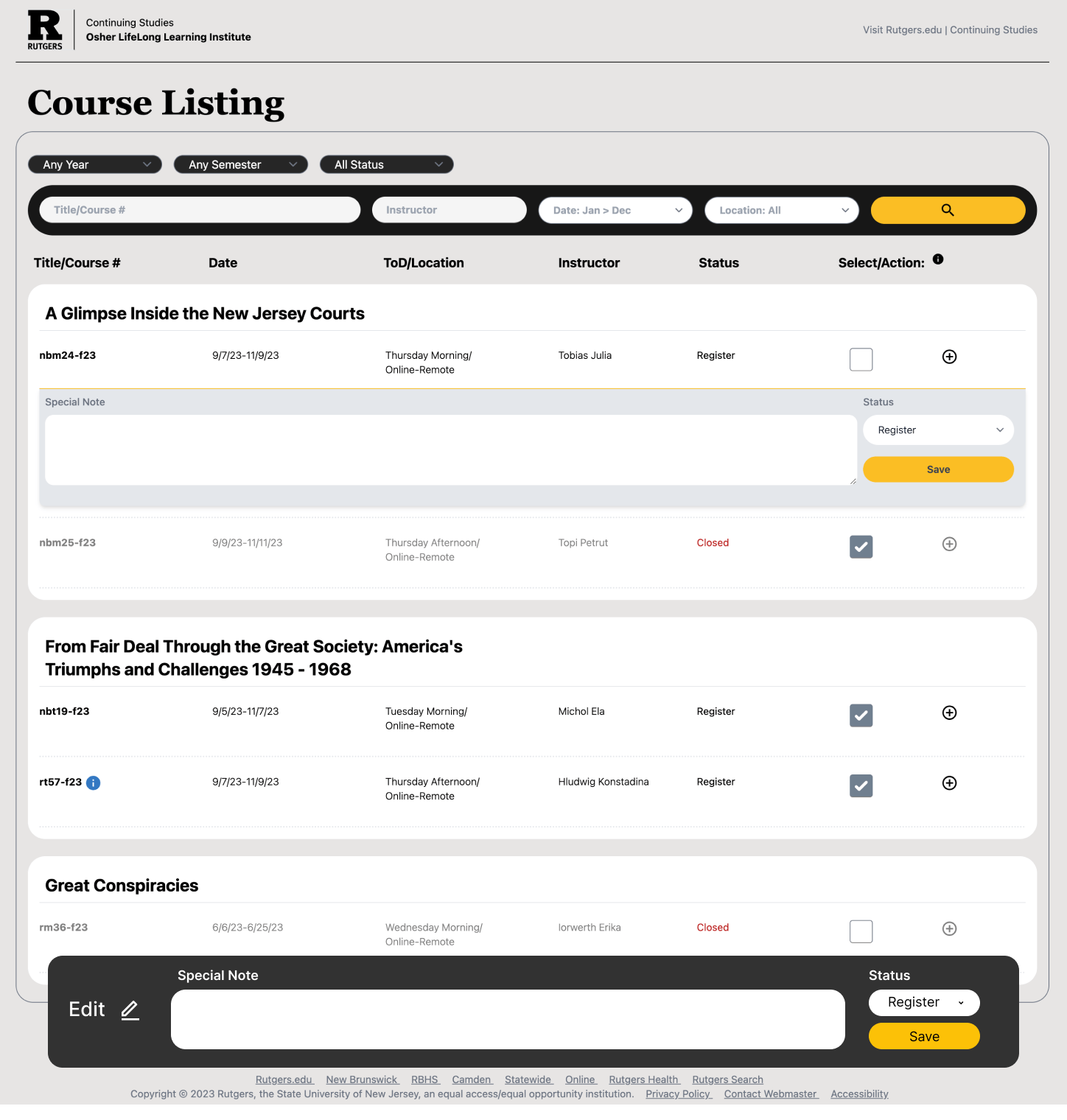
Verbose Admin Edit Modal
Inline Admin Edit Modal - Quick edit interface for making course changes without leaving the main listing page.
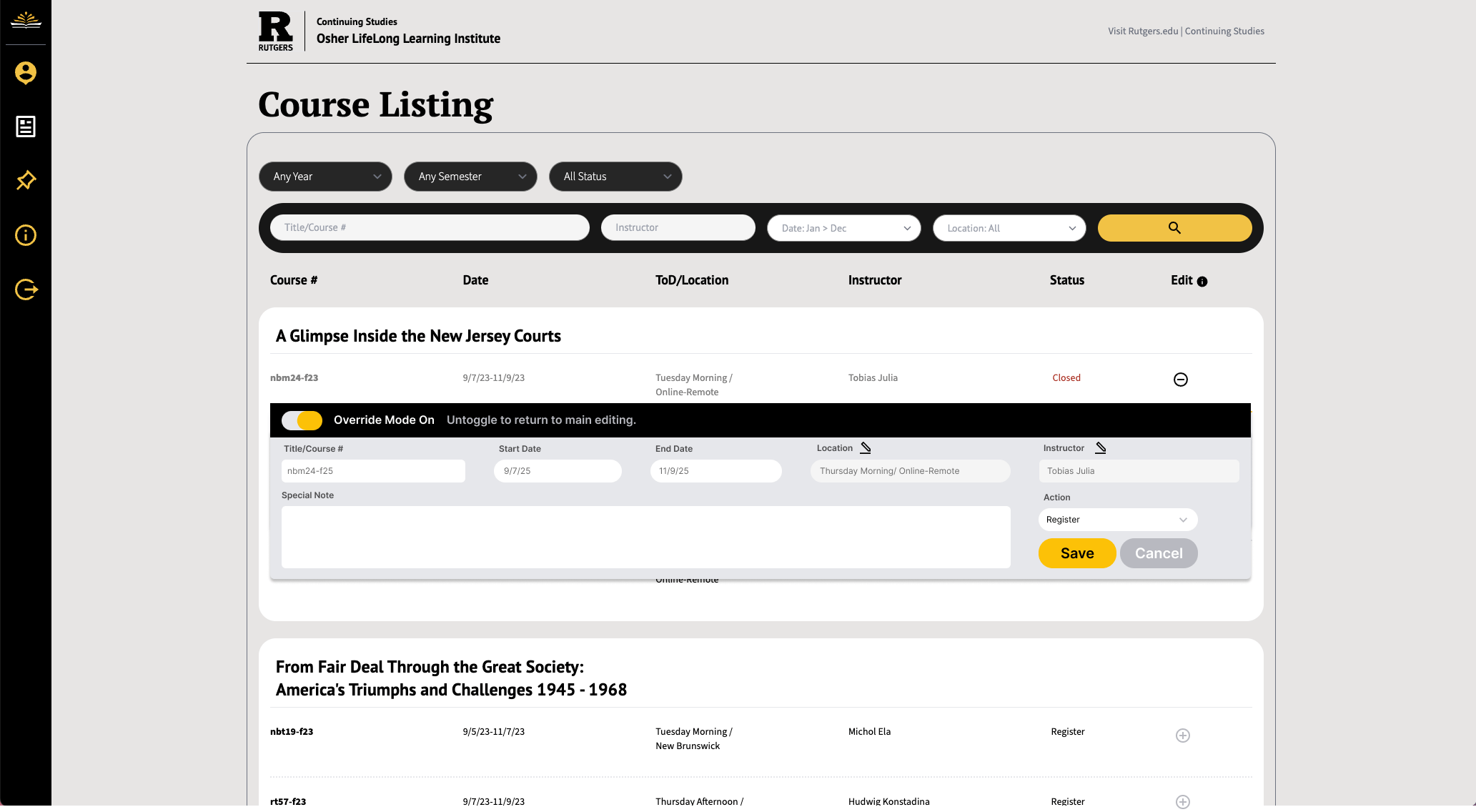
Inline Admin Edit Modal
Override Mode - Special admin interface allowing instant database overrides for time-sensitive course changes.
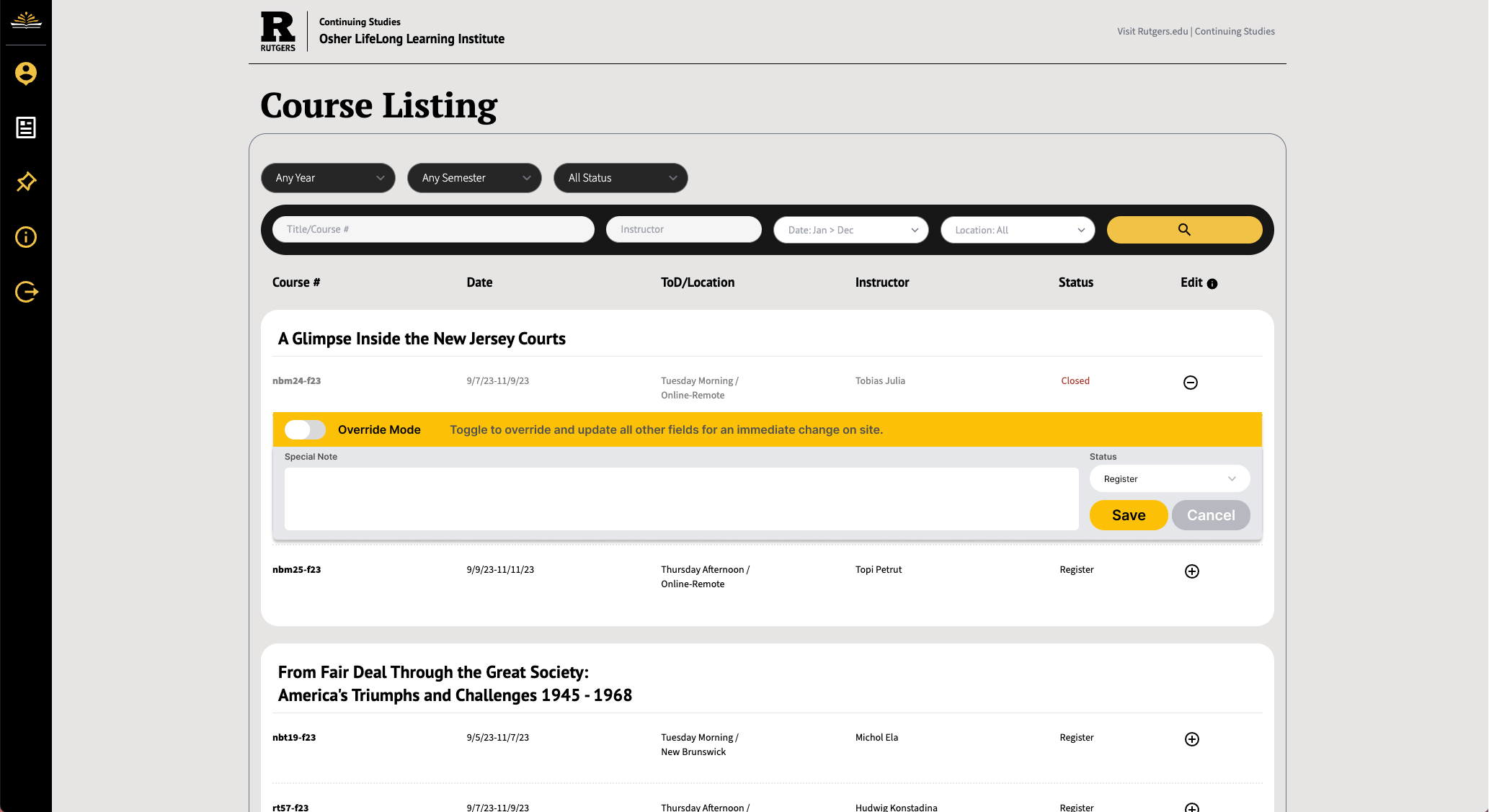
Override Mode
Phase 3: A/B Testing, Design Improvements, and User Flow Figma Protoyping
With the use of our functioning prototpe, we A/B tested our application, looked for ways to improve user flow, card layout, and overall usability. Having attended Figcon 2024, I proposed using Dev Mode version of Figma, to enhance our abilities in the software and communicate within the team.
Once Dev Mode was activated, we rebranded our checkout flows in Figma, created a poll, and found the best solution for user navigation. We applied our new designs and began developing in the Next.js framework.
Revised Course Listing Page: Desktop - Finalized view based on real data, polling choices, stakeholder input, and A/B testing.
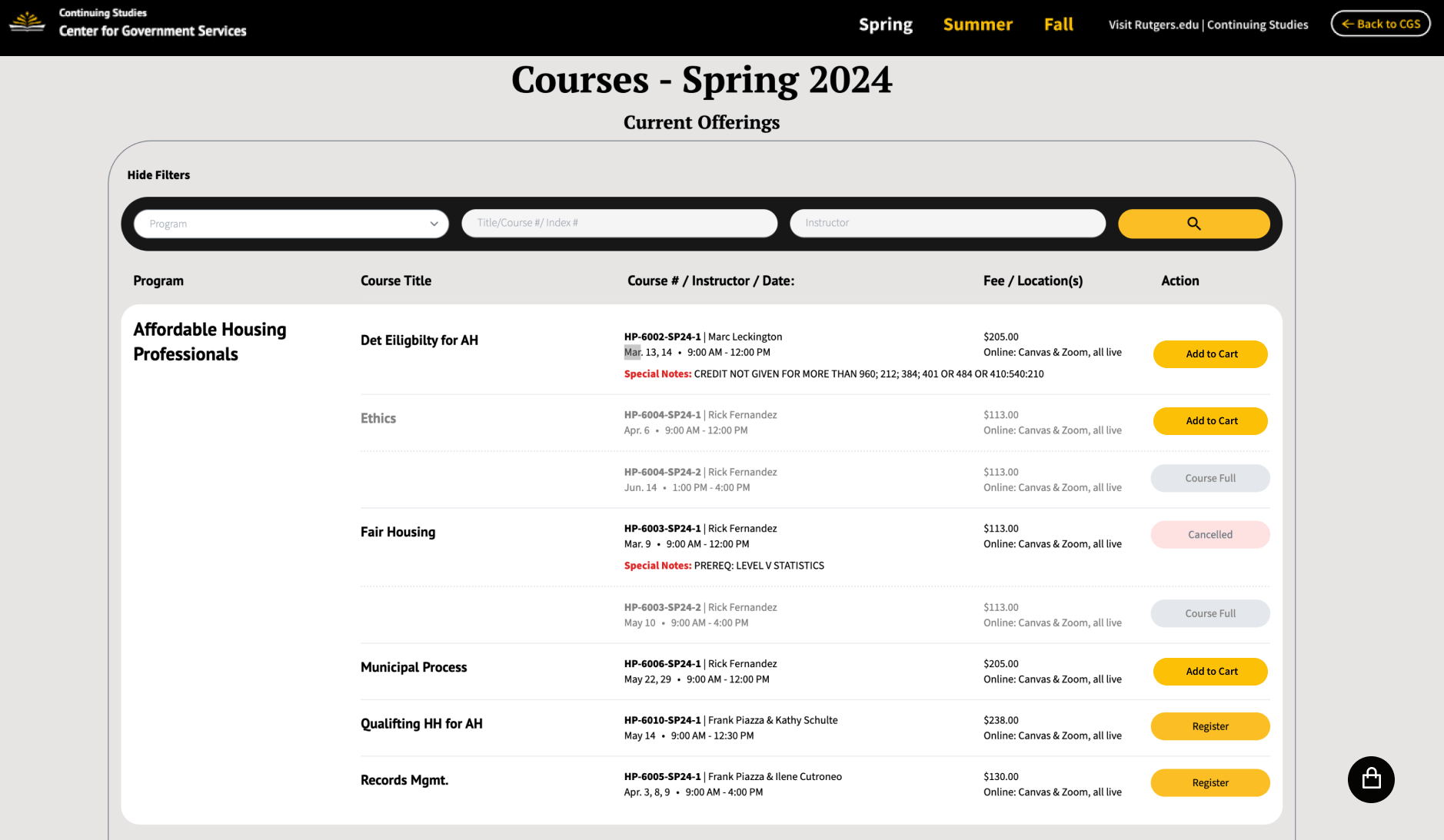
Revised Course Lisiting Page: Desktop
Finalizied course listing desktop view based on real data, polling choices, stakeholder input, and A/B testing.
Revised Course Listing Page: Mobile - Optimized mobile view with touch-friendly controls and responsive design.
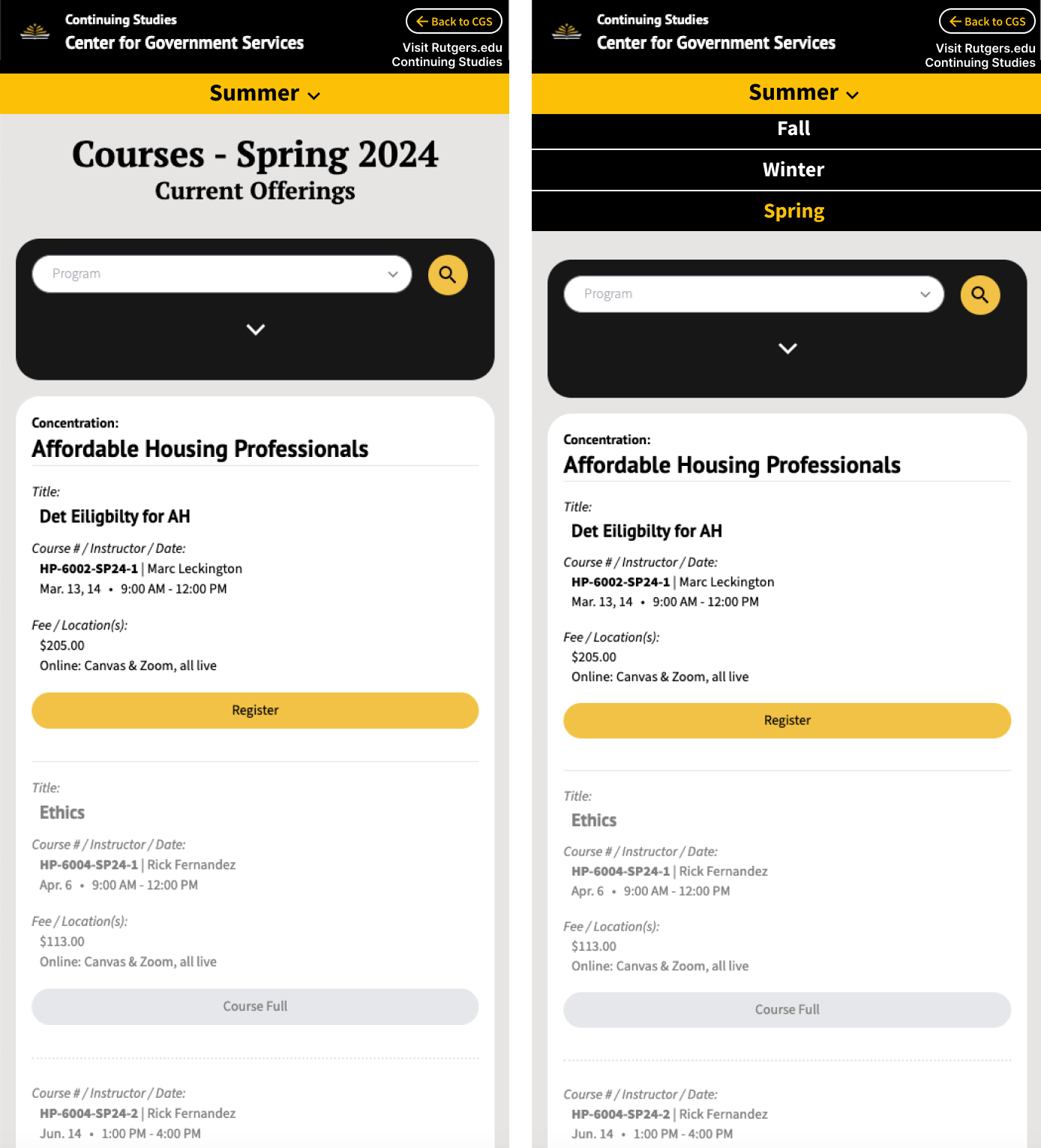
Revised Course Lisiting Page: Mobile
Finalizied course listing mobile view based on real data, polling choices, stakeholder input, and A/B testing.
Button Variants - Interactive, versatile buttons with various styling options for consistent Figma prototype design.
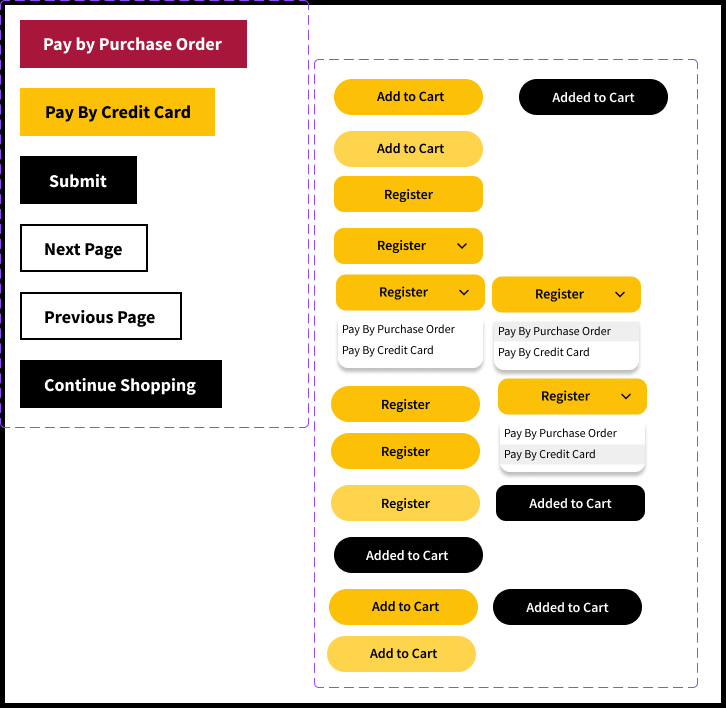
Button Variants
Interactive, versatile buttons with various styling for Figma prototype.
Course Carts - Multiple layout options tested through polling, featuring expandable dropdown course details for the checkout process.
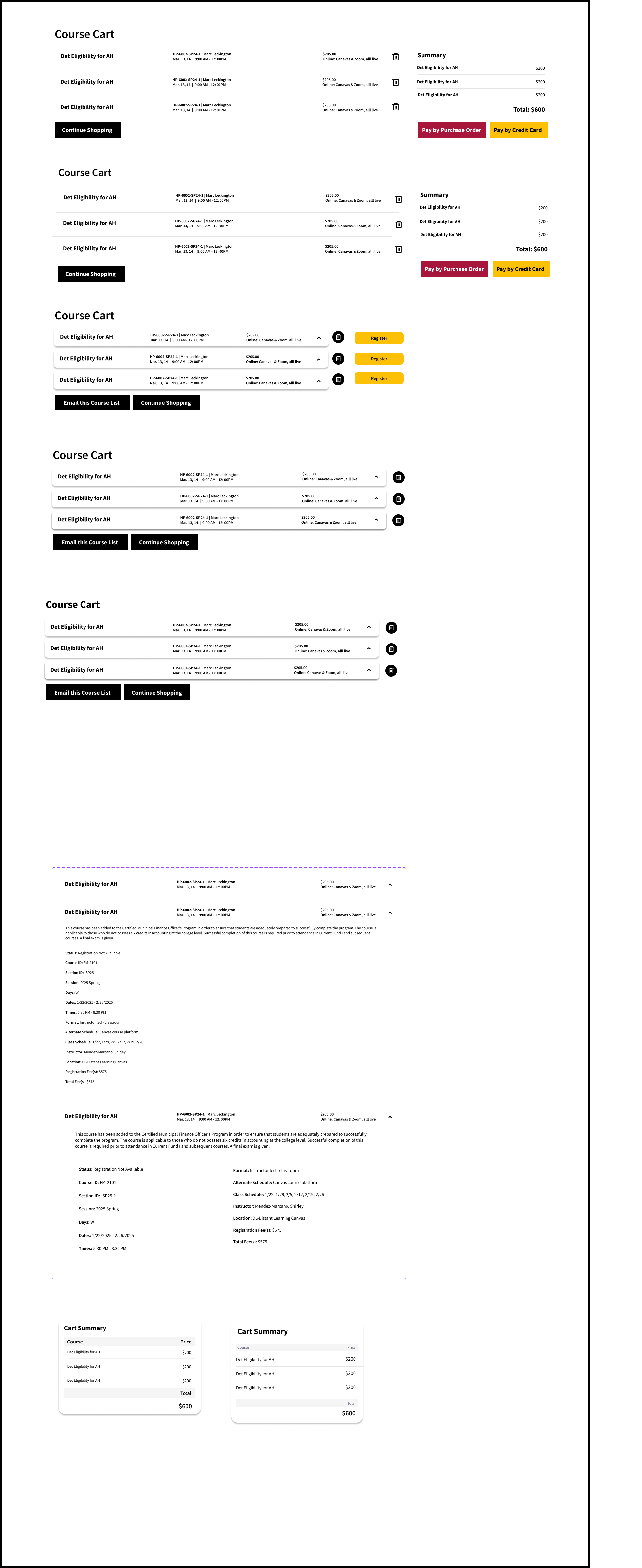
Course Carts
Multiple course cart layouts for checkout page that went through a polling process, with drop down of course details.
Payment Options - Comprehensive payment method selection section for the checkout page with multiple payment types.
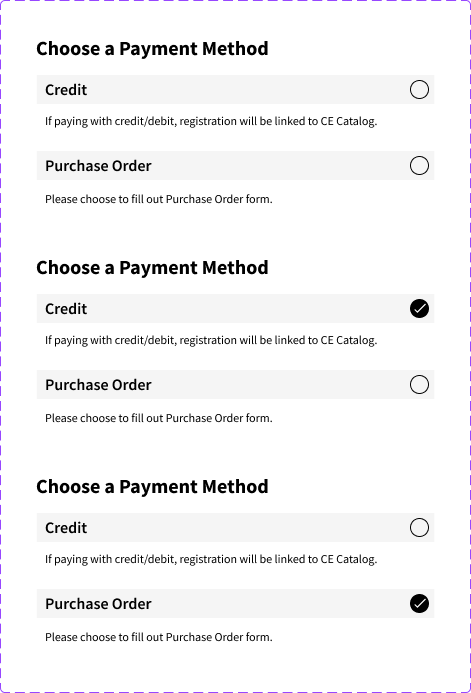
Payment Options
Payment method section for checkout page.
Default Checkout UI - Initial state of checkout page before payment method selection.
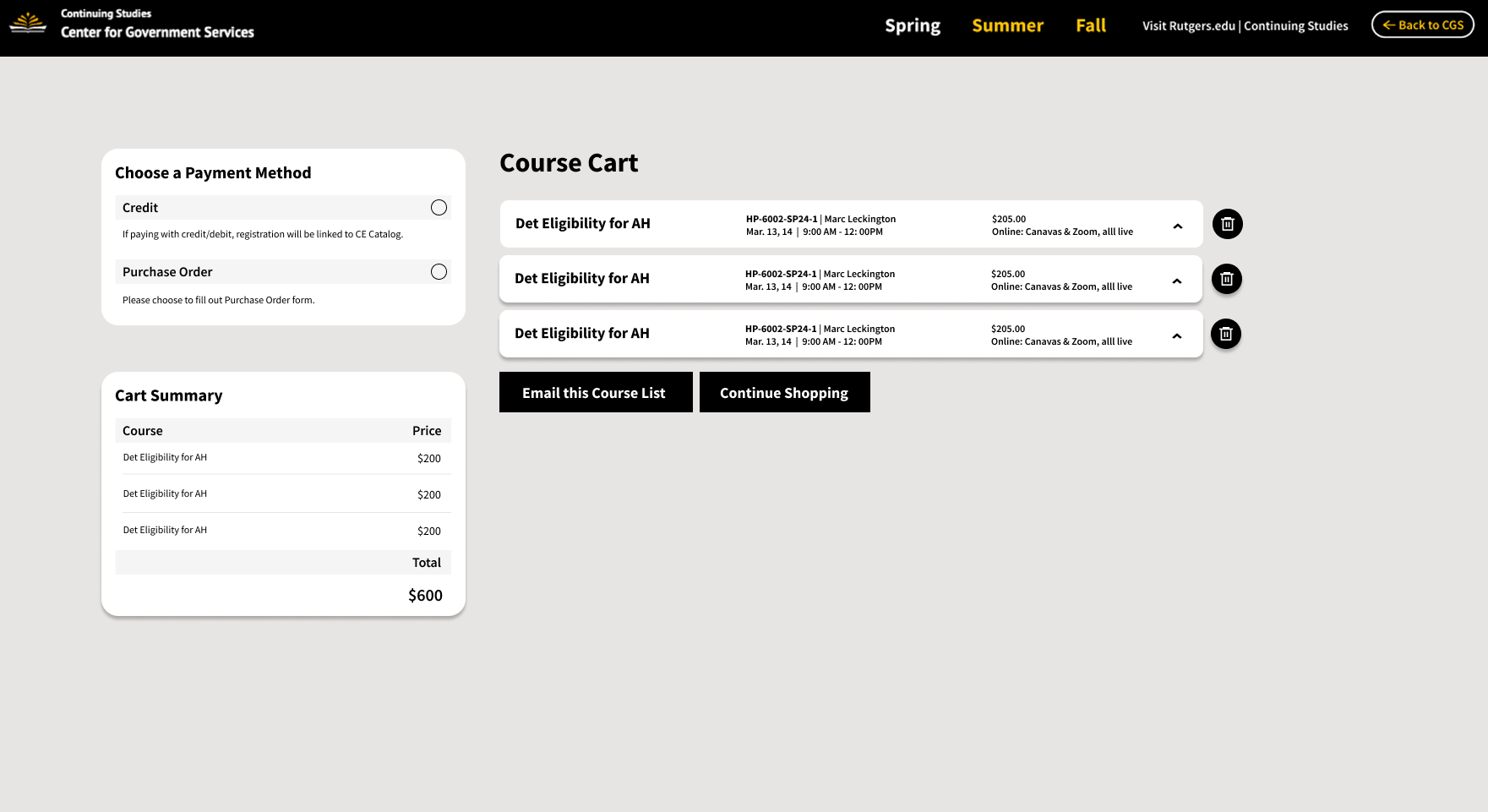
Default Checkout UI
Default checkout page with no option selected.
Purchase Order UI - Expandable form revealed when users select the purchase order payment option.
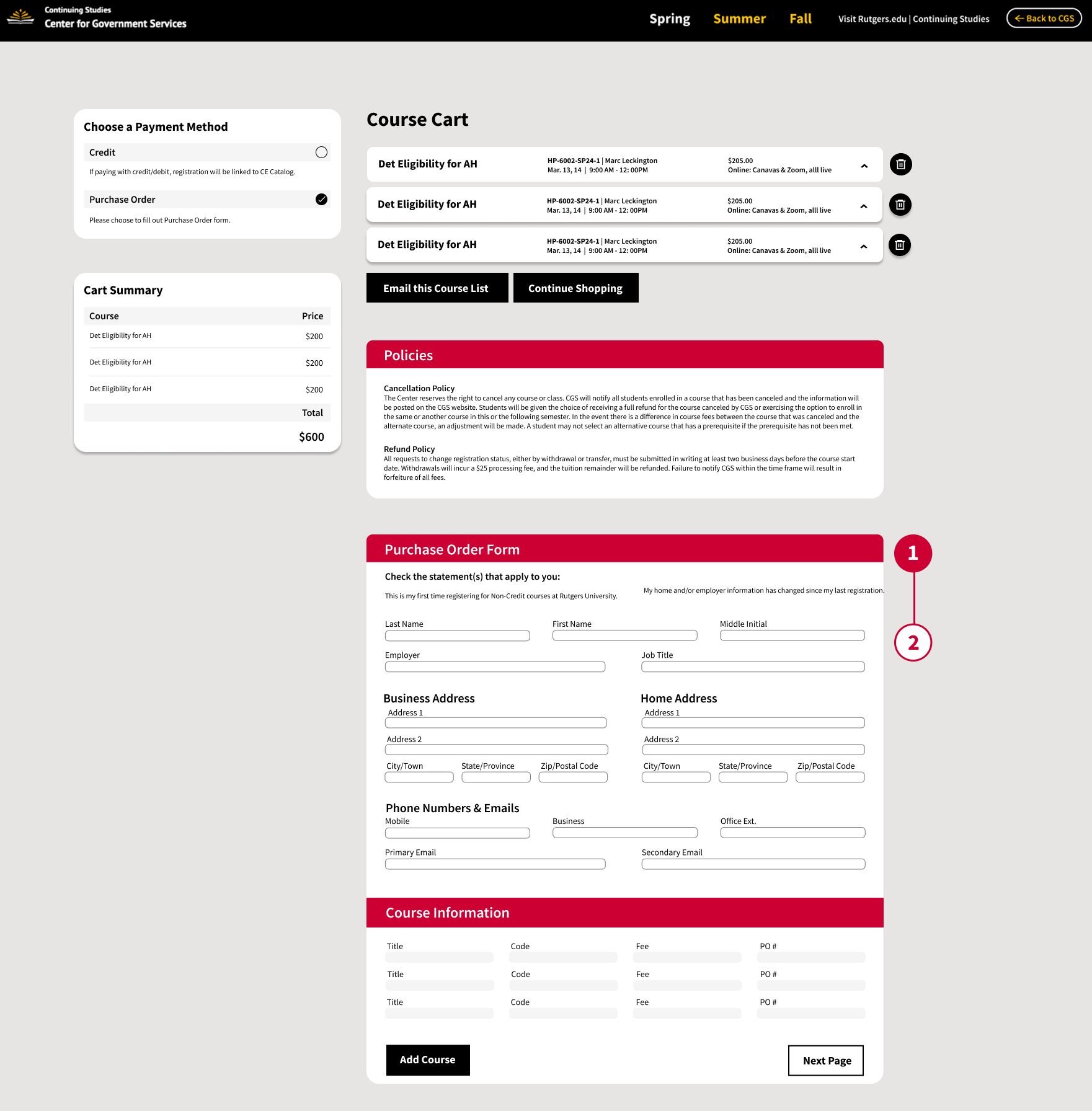
Purchase Order UI
Purchase order option reveals a form.
Credit Option UI - Credit selection reveals registration button with external link to third-party payment processor.
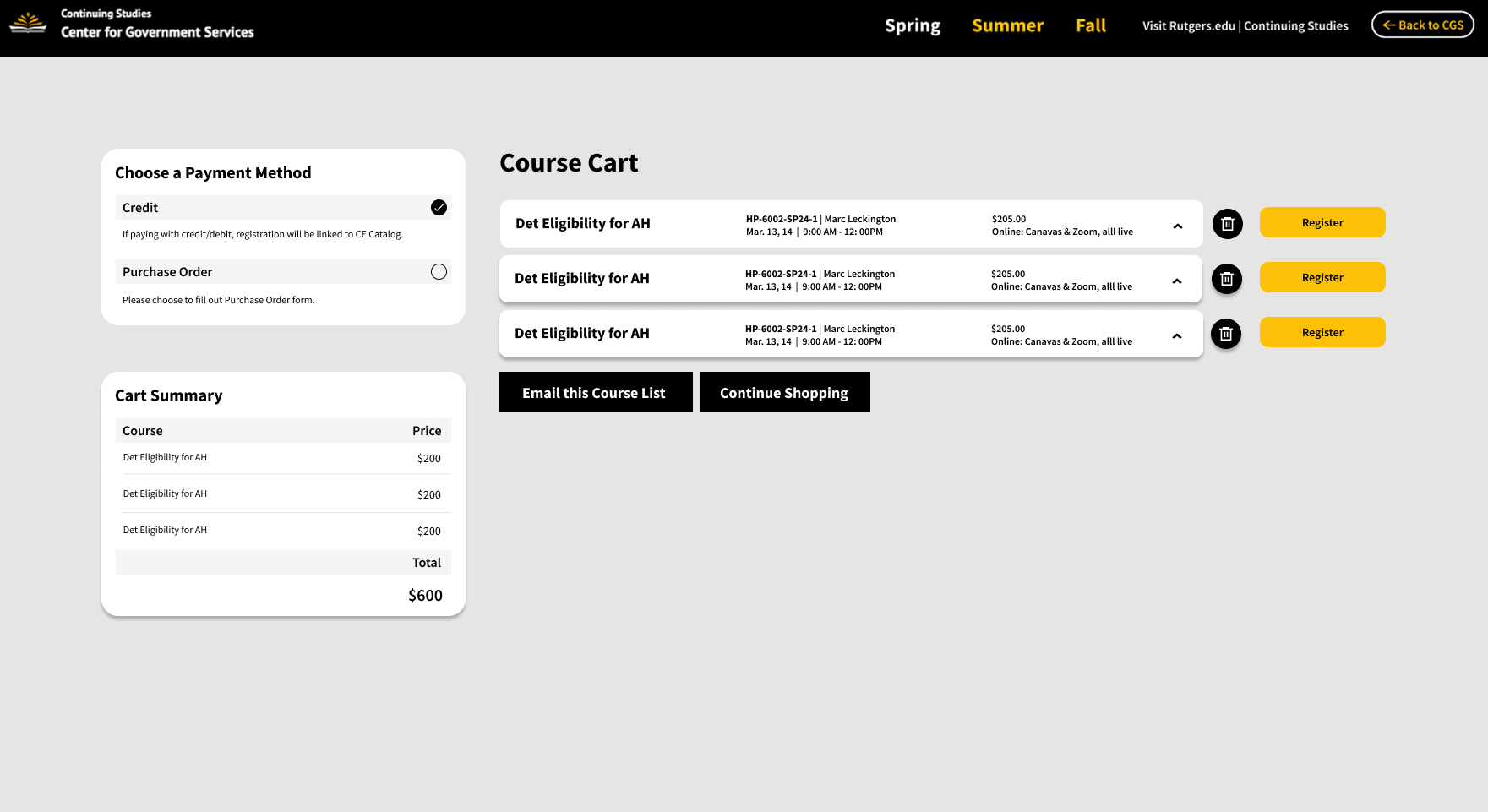
Credit Option UI
Users choosing credit revelas a registration button that externally links to a third party registration page.
Phase 4: Technical Implementation, Launch, and Final Notes
The application was then developed using Next.js, React, and Tailwind CSS. During development, we continued making improvements to the design as new solutions presented.
The Course Hub platform was built using modern web technologies.
Front-end Framework
- Next.Js 15 (React 19)
- TypeScript
- Tailwind CSS v4
- SCSS/Sass
Backend & Database
- PostgreSQL
- Prisma
- Next.Js API
Application Features
- Dynamic URL based filtering: Provides query params for program areas.
- Admin Ovverride: Admins can override course data from database instantly.
- Special Notes: Admin controlled messaging systems by department
- Status Management: Quickly change course status (Register, Course Full, Closed)
- Season-based navigation: Switch course listing by season date.
- Department Isolation: Admins unable to access other departments without authorization.
- Powerful Filtering System: Browse by concentration, season, instructor, or title/ course #.
- Screen Reader Support: Semantic HTML and ARIA labels
- Color Contrast: WCAG AA compliant color combinations
- Responsive Text: Scales appropriately across devices and zoom levels
- Form Labels: Clear, descriptive labels for all input fields
- Error Handling: Helpful error messages and validation
Share this project
Like this project? Share it with your network!