Expensely
A modern personal finance management application built with React and TypeScript.
Riley Skipper
Project Creator
Project Overview
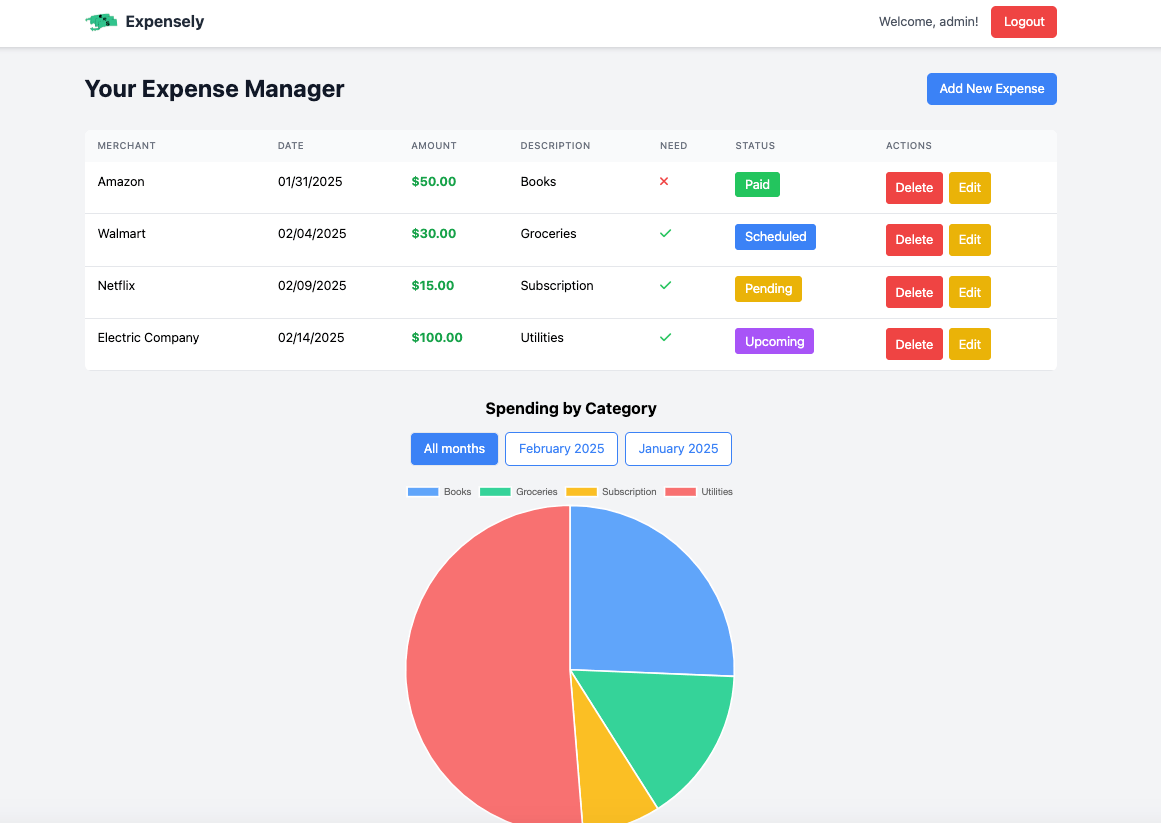
Expensely is a comprehensive personal finance management application designed to help users track expenses, manage budgets, and gain insights into their spending habits. Built with React and TypeScript and deployed using Vercel, this application demonstrates my full-stack development skills and ability to create intuitive, user-friendly applications that solve real-world problems.
Live Demo
Experience Expensely
Explore the live application to see the personal finance management experience in action:
View Live Demo
Key Needs
Expense Tracking
Simple and quick expense entry with categorization
Budget Management
Visual budget tracking with alerts and notifications
Financial Insights
Clear analytics and spending pattern visualization
Cross-Platform Access
Responsive design for desktop and mobile use
Key Features
- Inline Editing: Add, edit, and categorize expenses with custom categories
- Data Visualization: Interactive charts and graphs for spending analysis
- Responsive Design: Optimized for desktop, tablet, and mobile devices
- Local Storage: Data persistence using browser storage
- State Management: State management using React hooks and context API
- Performance Optimization: Optimized rendering and data handling for smooth user experience
- Accessibility: Ensured full keyboard navigation and screen reader compatibility
Technical Implementation
The application was built using modern web technologies and best practices:
- React 18: Latest React features with hooks and functional components
- TypeScript: Type-safe development for better code quality and maintainability
- CSS Modules: Scoped styling for component isolation
- Chart.js: Interactive data visualization for financial insights
- Vercel Deployment: Fast, reliable hosting with automatic deployments
- Responsive Design: Mobile-first approach with Tailwind CSS
Color Scheme
Color Palette
Primary Blue
#2563eb
Secondary Blue
#3b82f6
Success Green
#16a34a
Warning Yellow
#eab308
Error Red
#ef4444
Purple
#a855f7
User Flow
The Expensely user experience follows a carefully designed flow that prioritizes simplicity and efficiency:
1
Onboarding Experience
Welcome Screen
Clean introduction with clear value proposition
Quick Setup
Minimal initial configuration to get users started immediately
Tutorial Overlay
Optional guided tour of key features
2
Main Dashboard
Overview Cards
Quick glance at current month’s spending, budget status, and recent transactions
Quick Actions
Prominent “Add Expense” button for immediate expense entry
Visual Indicators
Color-coded budget progress and spending alerts
3
Expense Entry Flow
One-Click Entry
Streamlined form with smart defaults
Category Selection
Visual category picker with custom category support
Amount Input
Large, accessible number input with currency formatting
Auto-Save
Automatic saving to prevent data loss
4
Budget Management
Visual Budget Bars
Clear progress indicators for each category
Alert System
Notifications when approaching or exceeding budget limits
Flexible Categories
Customizable budget categories to match user needs
5
Analytics & Insights
Spending Trends
Interactive charts showing spending patterns over time
Category Breakdown
Visual representation of spending by category
Monthly Comparisons
Easy comparison with previous months
Share this project
Like this project? Share it with your network!